
CPD Logging
CPD logging: turn rough notes into structured records
Capture what you learned while the details are fresh. HandyCPD helps turn your notes and supporting material into a CPD record you can check, file and find again. Follow one fictional journal-club activity from a quick note to a record, a reflection and learning you can return to later.
On Pro, Learning Deck brings the ideas from your filed activity into recap cards, with further learning from a filed reflection where enough detail is available.
AI helps organise the draft, but you review, edit and approve the record before filing it.
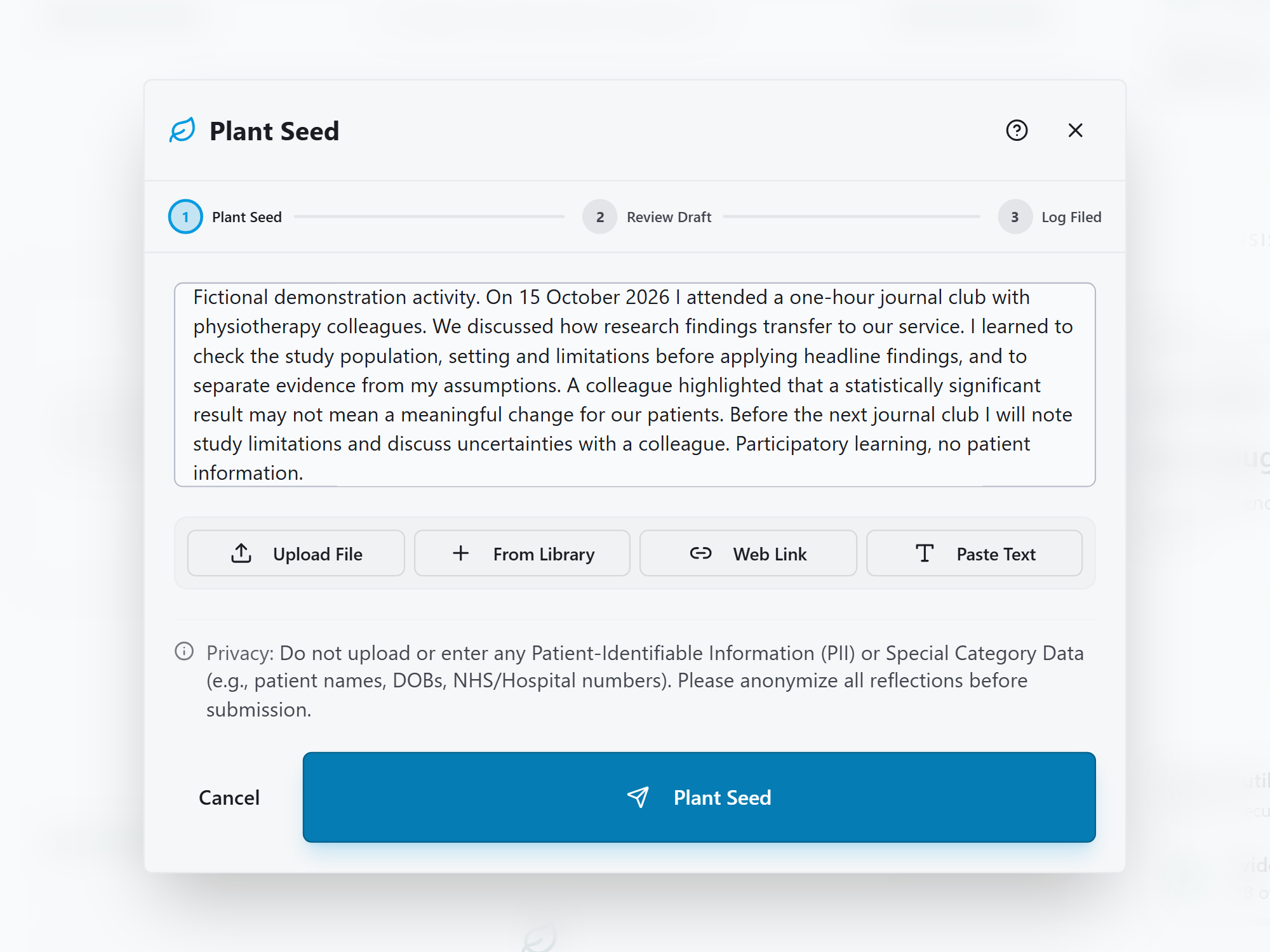
Start your CPD log with a few useful notes
A CPD log records your learning activities, when they happened, time spent and what you learned. You can link supporting evidence and develop a reflection when useful.
In the example, a physiotherapist attends a one-hour journal club on 15 October 2026. The discussion raises two useful ideas: check whether a study's population and setting match your service, and consider whether a statistically significant result would mean a meaningful change for patients.
Your first note could be as short as this:
Journal club, 15 October, one hour. Check whether the study population matches our service. Note the limitations and discuss uncertainties with a colleague before applying the findings.
The screenshot shows a fuller version, including the colleague's contribution and the plan for the next journal club. You can begin with rough wording, then add the details you remember. A title alone gives HandyCPD much less to work with than a note about what you learned and why it mattered.
Add typed or pasted notes, files, library evidence or web links as appropriate. The same approach works for a teaching workshop, professional webinar or team learning session. Keep personal and confidential details out of your notes and attachments.
An attachment can be stored without all its content being read. Check its reading status and add your own learning notes; see how attachments contribute below.
Review the draft, then file the record
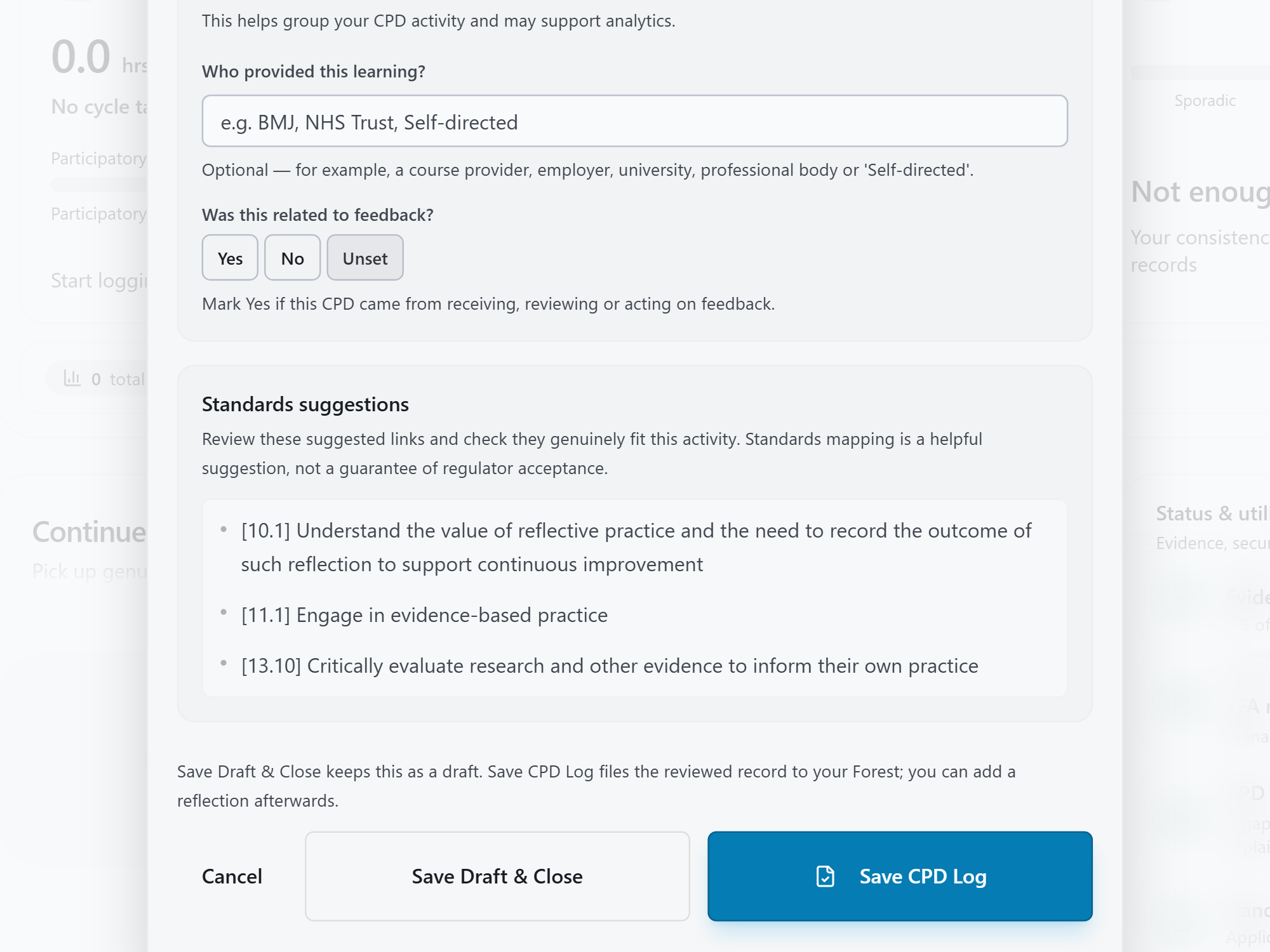
HandyCPD uses your notes and readable material to suggest a title, summary and activity details. For this journal club, check that the record says one hour on 15 October, describes the discussion with colleagues and keeps the learning about research limitations. Correct any suggested date, duration, category or wording that does not fit.
The screenshot shows the lower part of the review form. The provider is blank, and the standards are suggestions to check. Add an appropriate provider if relevant and review whether each standard matches the learning you actually did.
Choose Save Draft & Close if you want to return to it, or Save CPD Log to file the reviewed record in your Forest, where your CPD records are kept. You can add a structured reflection afterwards.
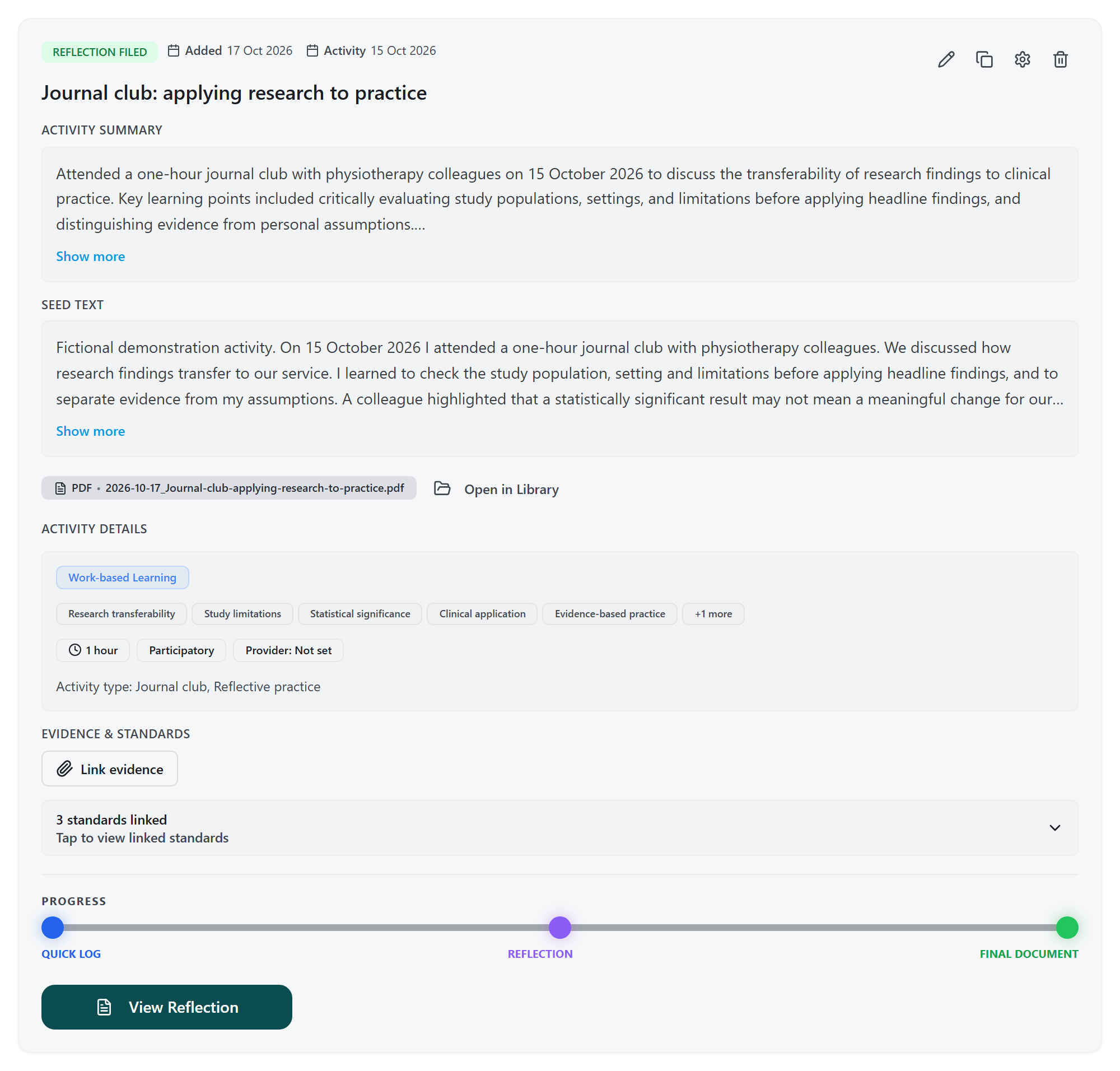
Keep the original notes and reviewed record together
Open the full record when you want to trace a summary back to your notes, check the activity details or find linked material. In this example, the original journal-club note sits alongside the reviewed summary, duration, participation details and standards.
This screenshot shows a later stage: a reflection has already been filed and a PDF created. Those are separate steps after logging. Your initial CPD record can be kept and revisited before you decide to develop a reflection.
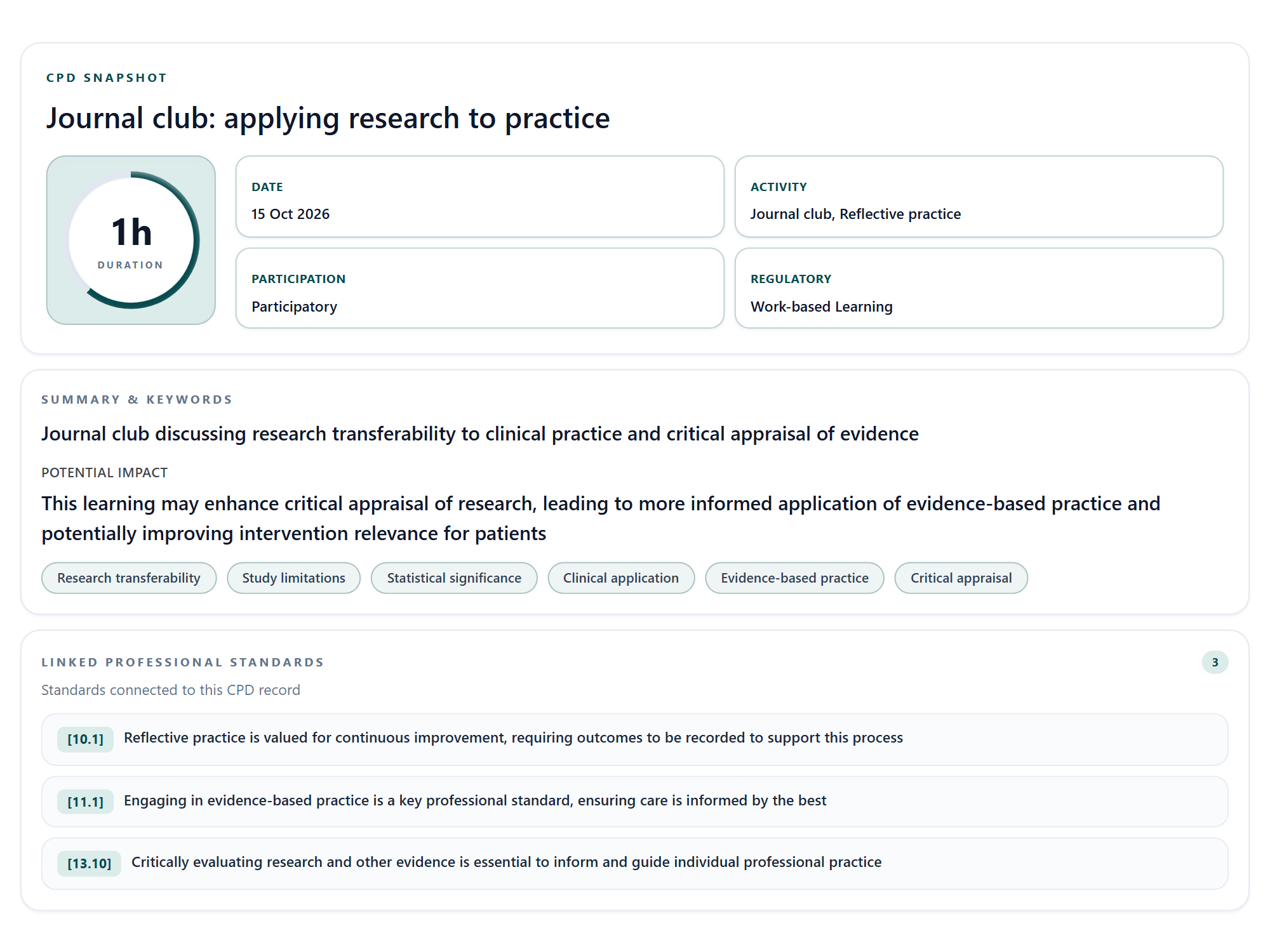
Scan the activity quickly with CPD Snapshot
Use Snapshot when you want to recognise the activity and its main details without reading the full record. Here, the date, one-hour duration and keywords such as study limitations and research transferability help you find your way back to the discussion.
The suggested “Potential impact” describes possible benefits. It is not evidence that those outcomes have happened. Use the full record for the detail behind the summary, and Learning Deck when you want to revisit the learning itself.
Develop a reflection when you want to explore the learning further
A filed log can become the starting point for the Reflection Engine. For the journal club, you might explore why headline findings initially felt persuasive, how the colleague's challenge changed your thinking and what you will check before applying research.
Review and file the reflection in your own words. Where it contains enough learning detail, it can contribute additional cards and a synthesis to Learning Deck. For help developing the account, see how to write a CPD reflection.
Learning Deck: revisit your CPD learning
Before the next journal club, open the activity's Learning Deck to revisit the ideas you wanted to carry forward. This Pro feature turns learning from your filed record and processed evidence into AI-assisted recap cards. You can return to the key points without rereading the whole record.
Revisit the learning from the activity
In the screenshot, the Learning Core cards bring back two ideas from the original notes: check the study population, setting and limitations, and distinguish statistical significance from a meaningful clinical change. Use them to recall what you learned, as well as which activity you attended.
See what your reflection added
Further cards draw on the filed reflection. In this example, they revisit critical appraisal and the intention to discuss limitations with colleagues before applying evidence. The reflection synthesis brings together why the learning matters, connections to practice and possible next steps.
Use the recap to prepare for what comes next
Return to the cards before your next discussion and consider whether you followed through on your plan to note study limitations. Check the recap against your own learning and source material, especially where a suggested next step goes beyond what you originally wrote.
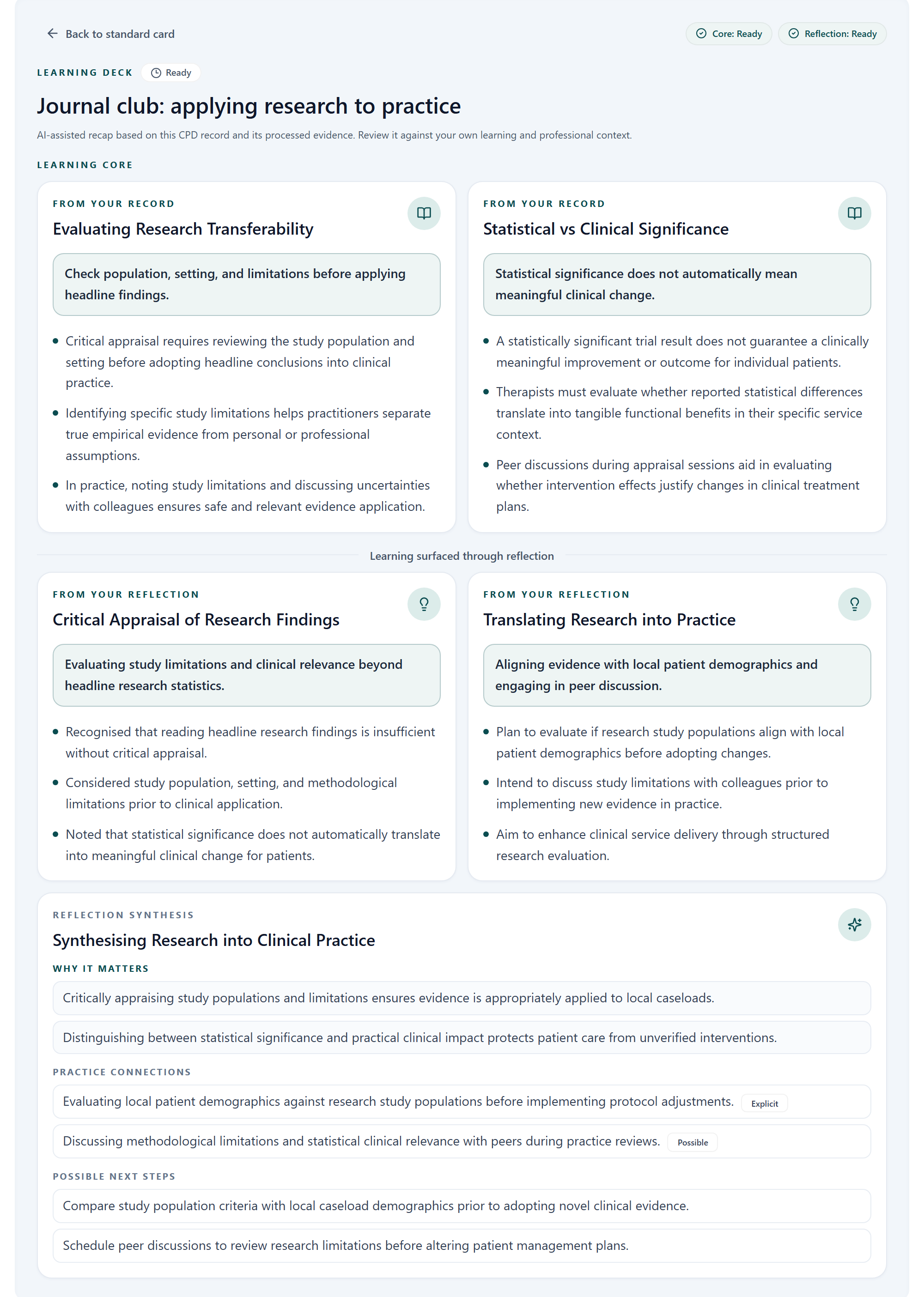
The cards shown are an example, not a fixed set for every record. If the source has too little learning detail, add to the record or its supporting material. A filed reflection may contribute further cards, but only where there is enough material to support them.
Learning Deck is available on Pro and during the Pro trial. Its cards are for revisiting learning in HandyCPD and are not included in CPD PDF exports.
Know what your attachments contributed
If you attach the journal-club paper, check how much of it was read. A stored file is not proof that its contents informed the draft. Documents may be partially read, while links, images and Excel files can be retained without their contents being read by Plant a Seed. Add your own learning notes where material is missing, and check the draft against what you actually discussed.
See what HandyCPD can read from files and links, including document limits and what to do when content is missing.
Try the workflow with one recent learning activity
Choose a workshop, webinar, discussion or piece of reading you still remember. Note when it happened, how long you spent, what you learned and what you plan to do with it. Review the draft and file a record you would find useful when you return to it later.
Free has separate monthly allowances for creating seeds or drafts and filing CPD records. Learning Deck is a Pro feature that you can explore during the Pro trial. Read the Free plan guide for the allowances and what remains available after the trial.
Start with one activity you want to remember
Capture the learning, review your CPD record and explore Learning Deck during your Pro trial.
30-day Pro trial. No card required.