
CPD RESOURCE
How to organise CPD records digitally
CPD records often start in the right place: a certificate in email, notes from supervision, a photo of a handout, but end up scattered across folders, inboxes and paper piles. When evidence, notes and reflections live in different places, it becomes harder to review your learning, prepare for audit or export a coherent record when you need one.
This guide focuses on practical digital organisation: keeping activities, evidence, notes, reflections and exports connected in one clear system. HandyCPD can support that workflow. You remain responsible for reviewing, editing and approving every record.
Resources support CPD learning and organisation. You review and approve every record.
Why CPD records become hard to manage
Most professionals complete enough learning. The difficulty is often record-keeping, not learning itself. Common patterns include:
- Certificates saved in email while notes stay in a notebook or on your phone.
- Reflections written later, or not at all, because the activity felt “done” once attended.
- Evidence stored in generic folders with filenames that make sense only at the time.
- No regular review, so gaps, duplicates and thin entries build up quietly.
- Export or audit preparation left until a deadline, when details are harder to reconstruct.
What a better CPD system should do
You do not need a complicated setup. A workable digital system should help you:
Capture learning promptly
Record the activity while details are still fresh: title, date, source and a short note about relevance.
Keep evidence linked
Attach or link certificates, slides and notes to the same record, not a separate folder you may forget.
Separate notes from reflection
Brief learning notes can sit alongside a fuller reflection when needed, without duplicating the same text everywhere.
Support review over time
Make it easy to scan what you have logged, spot gaps and see themes across a CPD year.
Export when required
Download or export copies for appraisal, audit preparation or your own backup, without rebuilding from scratch.
Minimise sensitive detail
Store enough context to explain your learning without unnecessary identifiable or confidential information.
A simple digital CPD workflow
A repeatable workflow reduces decision fatigue. The steps below keep organisation central; reflection sits inside the record when it adds value, not as a separate writing exercise you may skip.
- Capture the activity: title, date, duration, provider or source, and a one-line note on why it mattered.
- Attach evidence: certificate, agenda, slides or a link while you still have them to hand.
- Add brief learning notes: what stood out, what may change in your practice, anonymised where needed.
- Decide on reflection depth: a short note may be enough for some activities; others benefit from a fuller reflection. For reflective writing guidance, see how to write a CPD reflection.
- Tag or categorise: activity type, setting or standards area so you can review patterns later.
- Review and export periodically: check completeness monthly or quarterly; export copies when appraisal, audit preparation or backup requires them.
A simple CPD record-keeping checklist
Use this as a quick sanity check after each activity or during a monthly review:
- Record the activity while it is fresh; do not rely on memory alone.
- Save or link evidence in the same place as the record.
- Add a short note about learning and relevance to your role.
- Decide whether a fuller reflection is needed for this entry.
- Review records monthly or quarterly for gaps and follow-up actions.
- Export or download copies when appraisal, audit preparation or backup requires them.
- Avoid unnecessary identifiable or confidential detail in notes and evidence.
What to keep in a CPD record (and what to avoid)
Practical safety guidance, not legal advice. When in doubt, follow your employer, regulator and data protection policies.
Helpful to keep
- Activity title and date
- Provider or source
- Certificate or supporting evidence
- Brief learning notes
- Reflection or future actions where relevant
- Anonymised relevance to your practice
Usually best to avoid
- Names of patients, clients or service users
- Dates of birth, addresses or contact details
- NHS, client or service-user identifiers
- Detailed case histories
- Confidential workplace documents
- Special-category data unless lawful and necessary
Build a simple CPD review habit
Digital organisation works best when you review records regularly, for example monthly or quarterly, rather than only when a deadline appears. A short review can cover:
- Whether evidence is attached to each relevant entry.
- Whether reflections or learning notes are complete enough to understand later.
- Whether future actions from earlier reflections need follow-up.
- Whether themes or gaps are emerging across your CPD year.
- Whether records are still accurate and appropriate to keep.
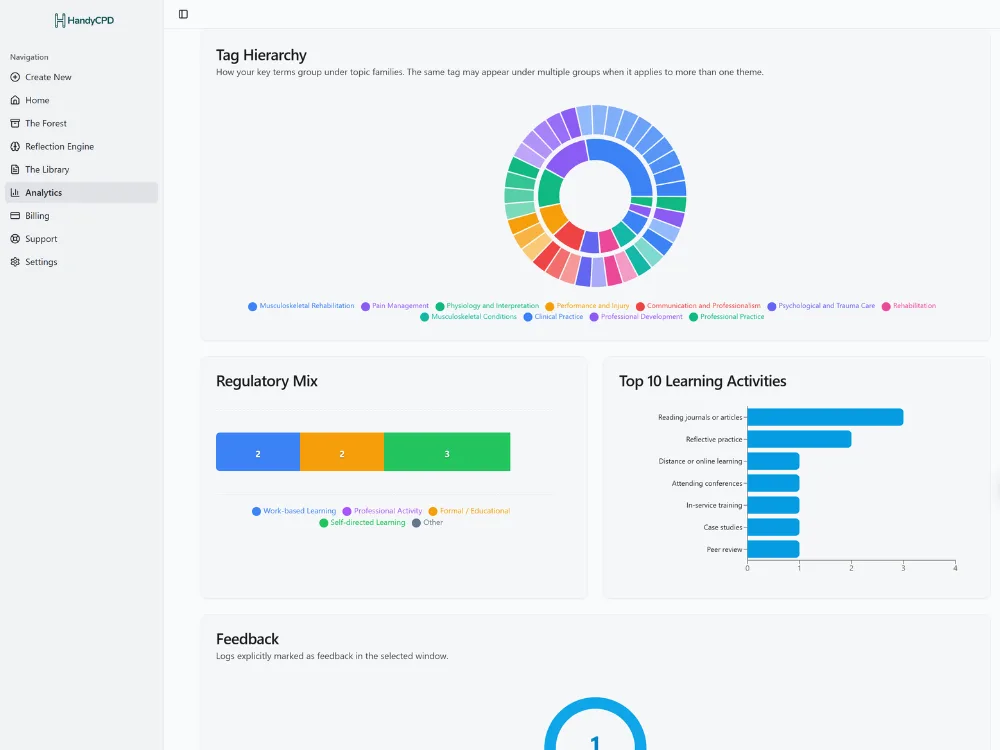
HandyCPD's CPD Analytics can help you spot patterns and coverage over time. It supports review, not replacement of your professional judgement.
How HandyCPD helps organise your CPD
HandyCPD connects the parts of CPD record-keeping that often live in separate places:
- Plant Seed and CPD log cards: capture activities and structure basic details quickly.
- Reflection Engine: add a fuller reflection when an activity warrants it, with drafts you review and edit.
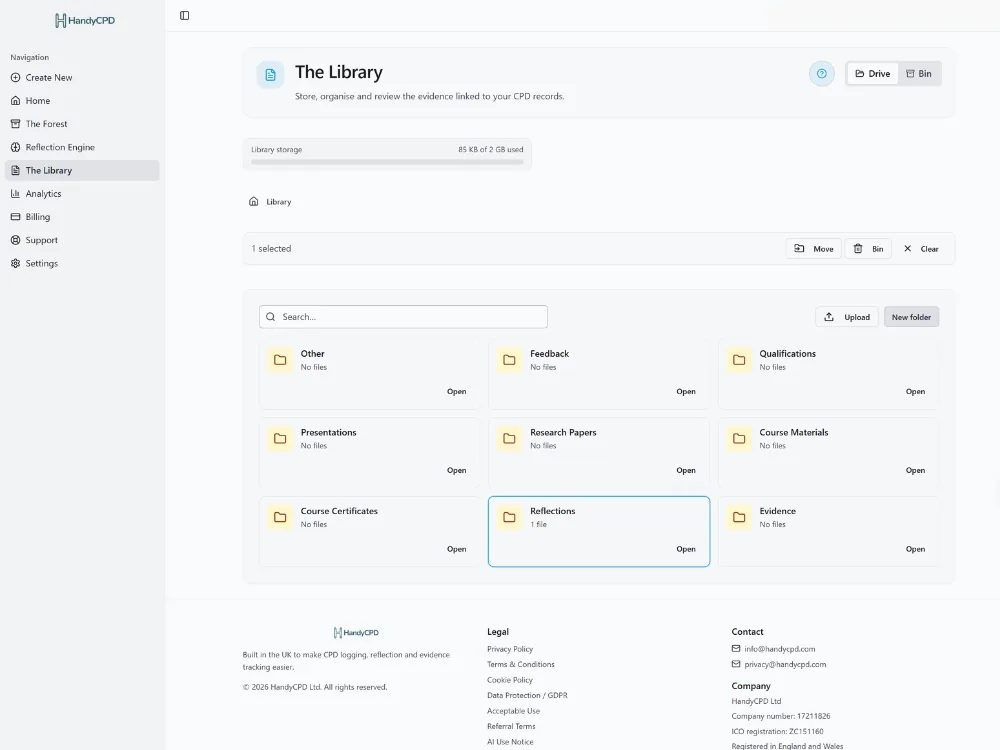
- Library: store and link evidence alongside your records.
- CPD Analytics: review themes, coverage and progress across your portfolio.
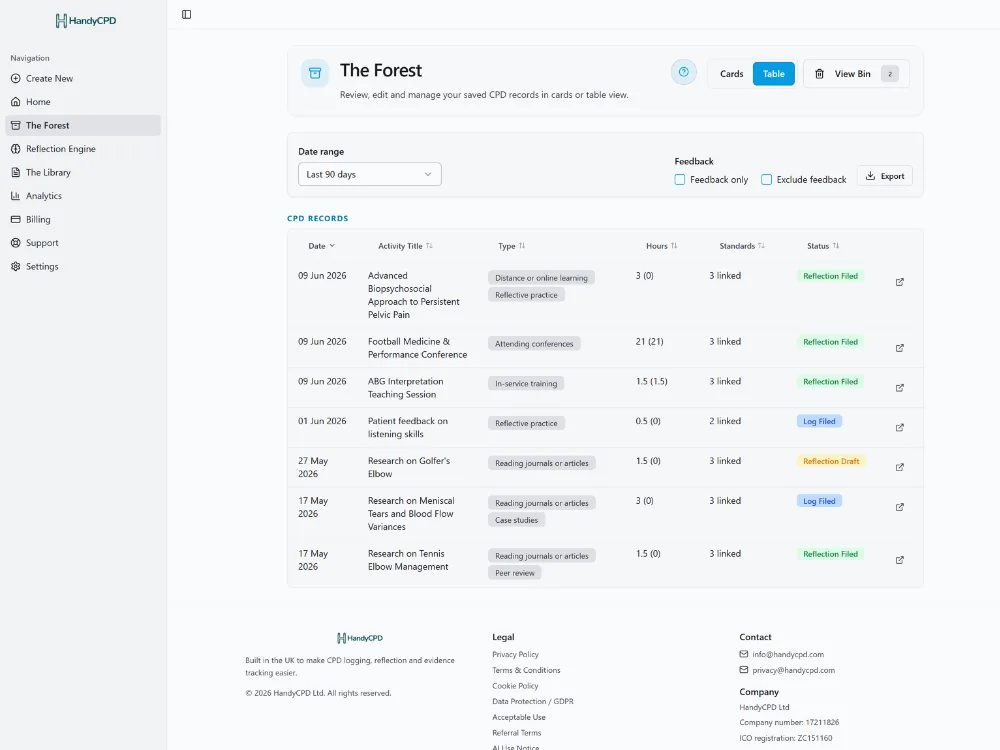
- Activity table and Forest views: browse and manage records in one place.
- PDF export: download copies when you need an offline record or backup.
See your CPD records more clearly in HandyCPD
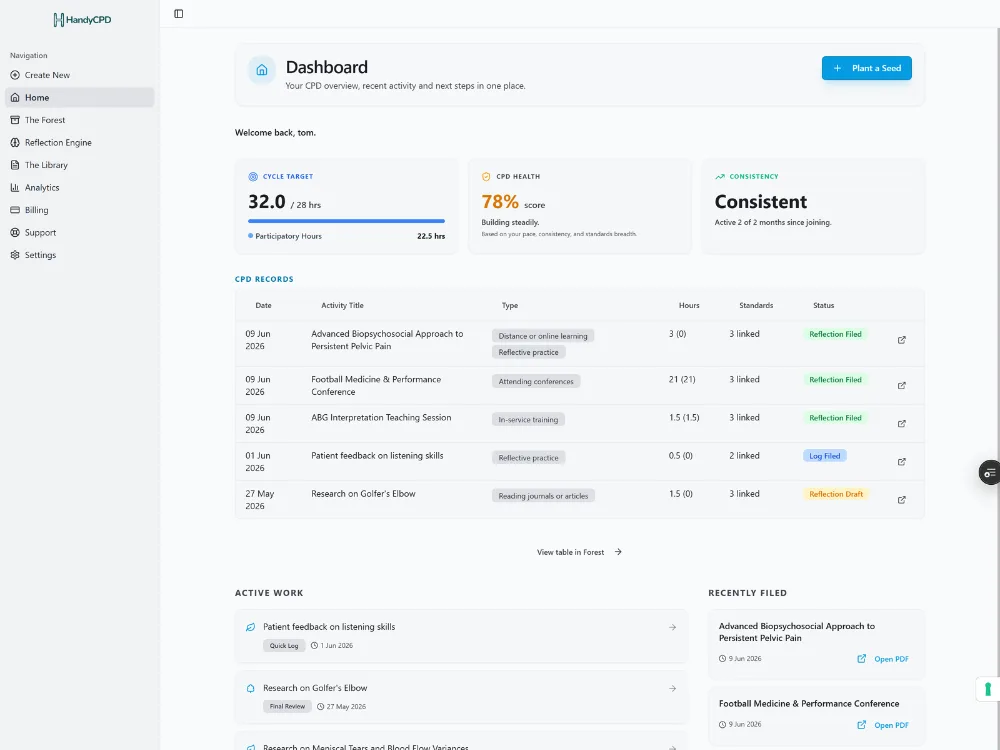
The screenshots below show how activities, evidence, analytics and your full record can stay connected in one system, rather than spread across unrelated folders. Your signed-in CPD Dashboard is the home for recent activity and records in progress; analytics goes deeper when you want patterns and coverage over time.
Dashboard overview: your CPD at a glance
CPD Analytics: review themes and coverage
Library: evidence linked to your portfolio
Activity table: browse and manage records
Why this is better than scattered folders
Folders and spreadsheets can work if you maintain them consistently. The problem is friction: evidence saved separately from notes, reflections written in another app, and no easy way to see gaps across a CPD year. A connected digital system reduces that friction: activities, evidence, notes and exports stay linked by default.
HandyCPD is one option for that workflow. Whatever tool you use, the principles are the same: capture promptly, link evidence, review regularly and export when needed, while keeping records proportionate and appropriately anonymised.
Ready for a calmer digital CPD system?
Log activities, link evidence and review records in one place, with exports when you need them.
30-day Pro trial. No card required.