
CPD PDF Export
Turn reviewed CPD reflections into PDF records
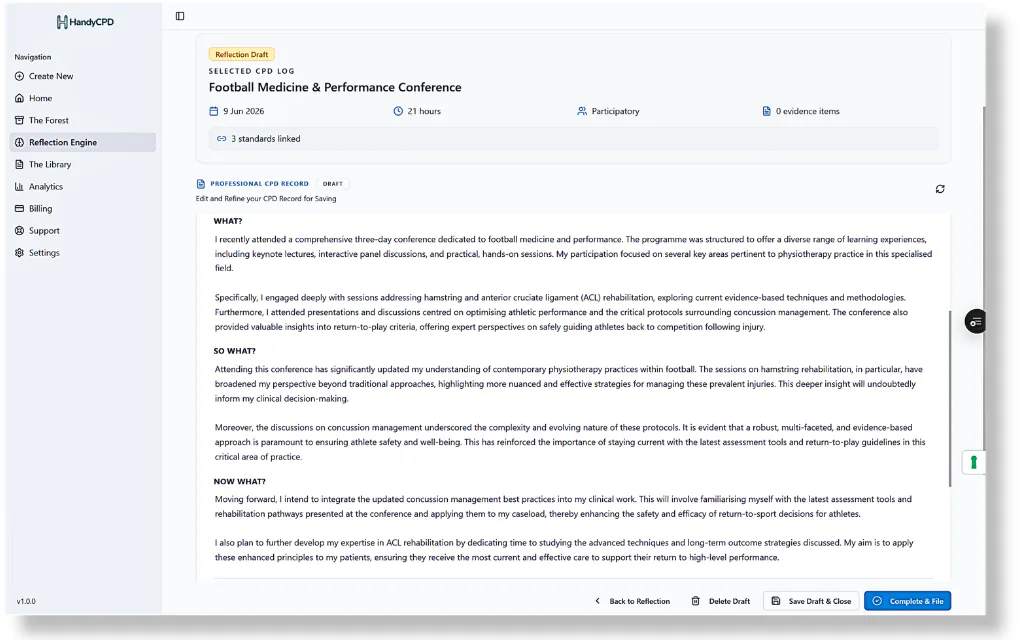
After a learning activity, many professionals need a clear written record of what changed in their thinking and practice, but turning a draft into something you trust takes review. HandyCPD supports a simple flow: draft your reflection, review and edit it, finalise when you are satisfied, then export and store a PDF that reflects your approved content.
AI can support drafting and structure, but the PDF is your reviewed document. You remain responsible for reading, checking, editing and approving the final reflection before finalising or exporting.
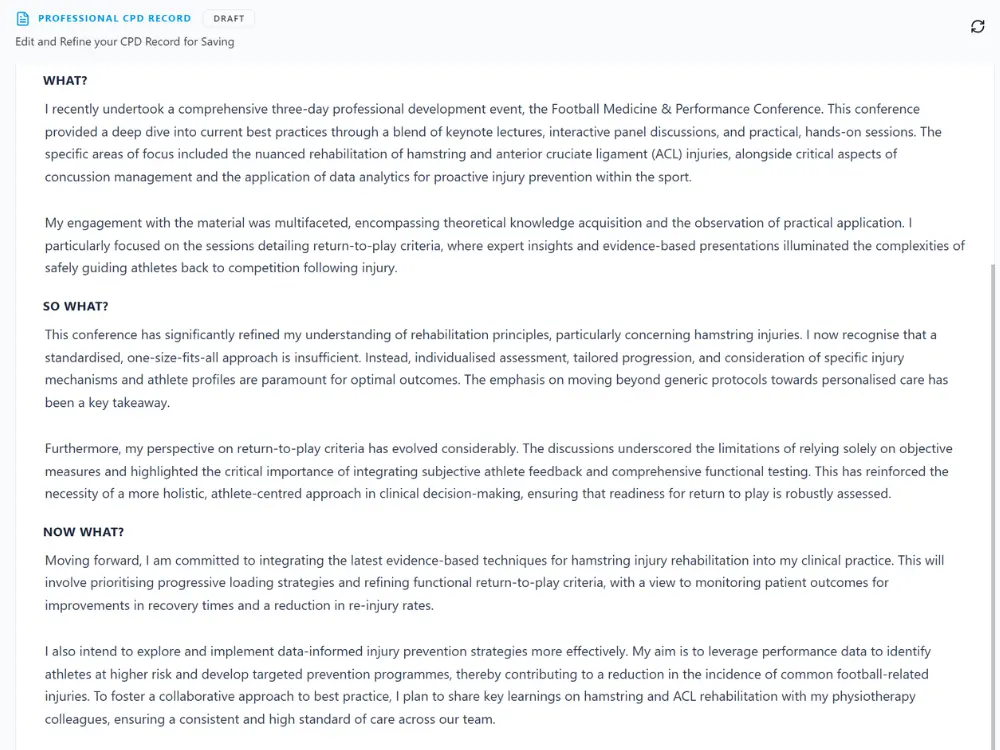
From draft to reviewed record
Reflective pieces often start in the Reflection Engine, where guided prompts and selectable insight cards help you shape a draft from your CPD log and linked evidence. Nothing is fixed until you review it. You can refine wording, add detail you know is accurate and remove anything that does not reflect your learning.
Finalising creates a clear CPD reflection record you have checked yourself. Export then produces a PDF based on that approved content, useful for organising professional development records, not as an automatic submission to any regulator or employer.
Review before you finalise
Read the full reflection as if someone else will read it months later. Does it explain what you learned, how your thinking changed and what you will do differently? If you used AI-assisted drafting, edit carefully for accuracy, clarity and completeness. Do not finalise until the record represents your professional development in your own terms.
Export a clear PDF for your records
When you export, HandyCPD formats your reviewed reflection into a PDF you can keep for portfolio preparation, supervision conversations or your own reference. The export is built from content you approved. HandyCPD does not write or submit CPD on your behalf.
Store PDFs in your Evidence Library
Exported PDFs can be filed to your Evidence Library alongside certificates, course notes, presentation slides and other supporting evidence. Reflection PDFs are typically stored under the Reflections folder in your Library, so completed records sit with the rest of your professional development files.
Useful for audit preparation, not an audit guarantee
A PDF may help when you are organising professional development records or preparing during audit windows, appraisal, supervision or portfolio review. For HCPC-specific context, see our HCPC CPD guide. It is supporting material you create and check, not an automatic audit submission and not a substitute for meeting relevant employer, regulator or professional requirements.
PDFs should be checked against the requirements that apply to you before sharing. HandyCPD does not guarantee how any PDF will be viewed by HCPC, NMC, Social Work England, your employer, an auditor or an appraisal panel.
Before you rely on or share a PDF
- Check the reflection is accurate and complete for the learning it describes.
- Check the professional context is clear: what happened, what you learned and why it mattered.
- Remove confidential or identifiable details about patients, clients, service users or colleagues.
- Make sure the record reflects your actual learning, not generic wording that could apply to anyone.
- Check relevant employer, regulator or audit requirements before sharing or using the PDF as supporting material.
Responsible CPD records
HandyCPD can help organise CPD evidence and reflection records, but you should keep any formal, original or legally required documents in line with your own employer, professional or regulator requirements. Avoid uploading patient, client or service-user identifiable, confidential or special-category data unless you have a lawful basis and understand the risks.
Ready to export reviewed CPD reflections as PDFs?
Review, finalise and keep PDF records for your portfolio and Evidence Library.
30-day Pro trial. No card required.